
a living world
earth in hytale.
overview
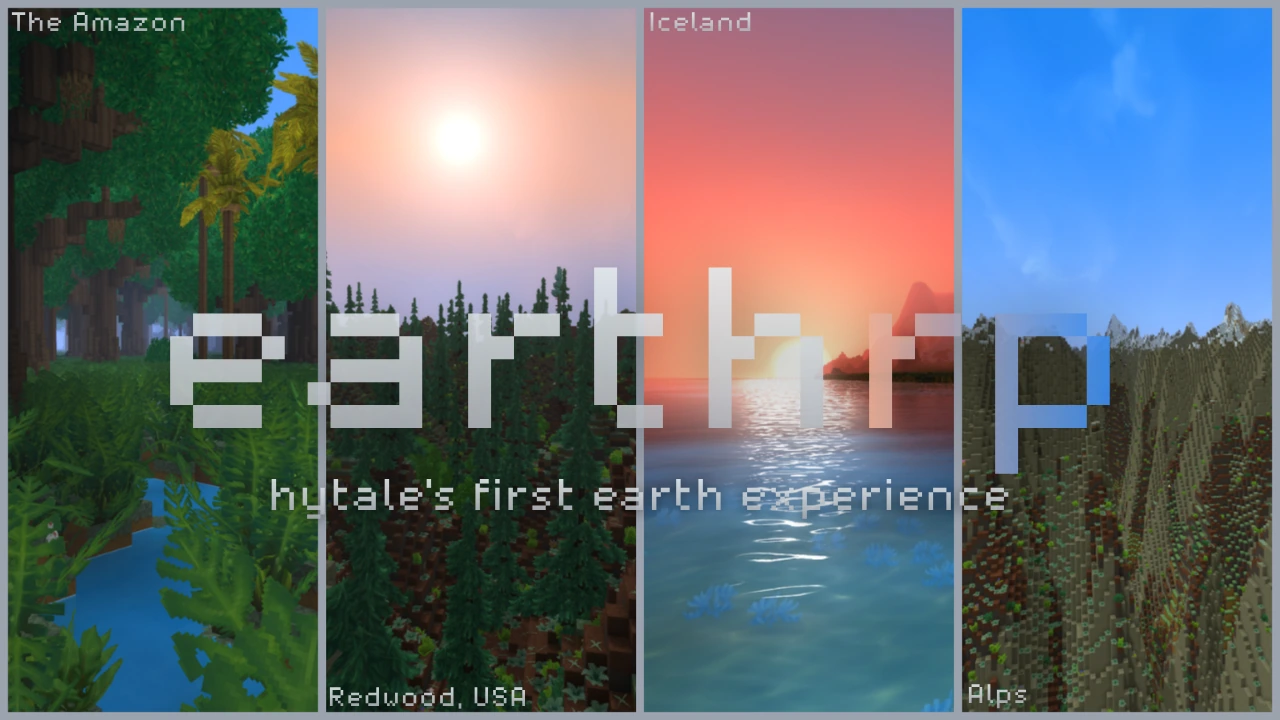
normal hytale progression on a real earth map. explore, earn gold, claim land and build a city with other players. the living world.
find your place
- join play.earthrp.net. on your first visit, you are spawned in a random part of the world to begin your journey.
- check your surroundings, gather basic supplies and find somewhere to settle. you can join an existing city or save gold to found your own.
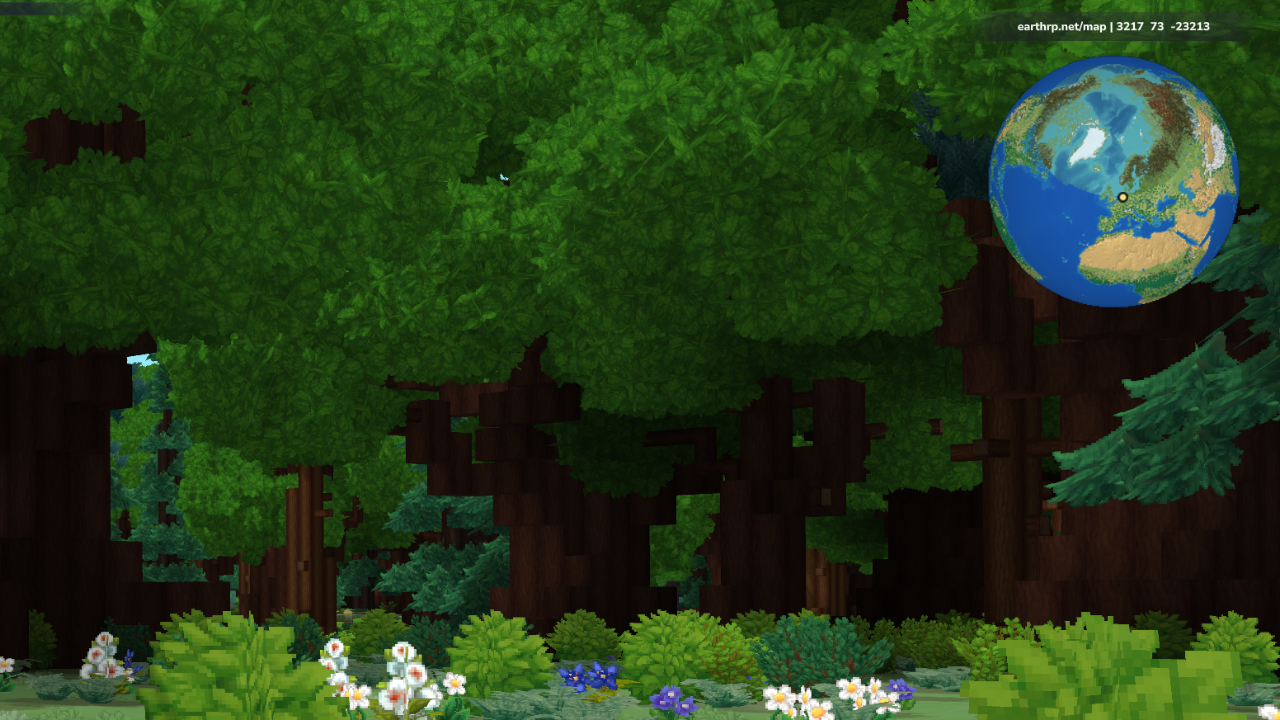
the globe hud in the top-right shows your location and coordinates. open earthrp.net/map to explore cities, nations and plots, or press m for the in-game map.
returning players keep their existing location; the random starting location is for your first arrival.
earn gold
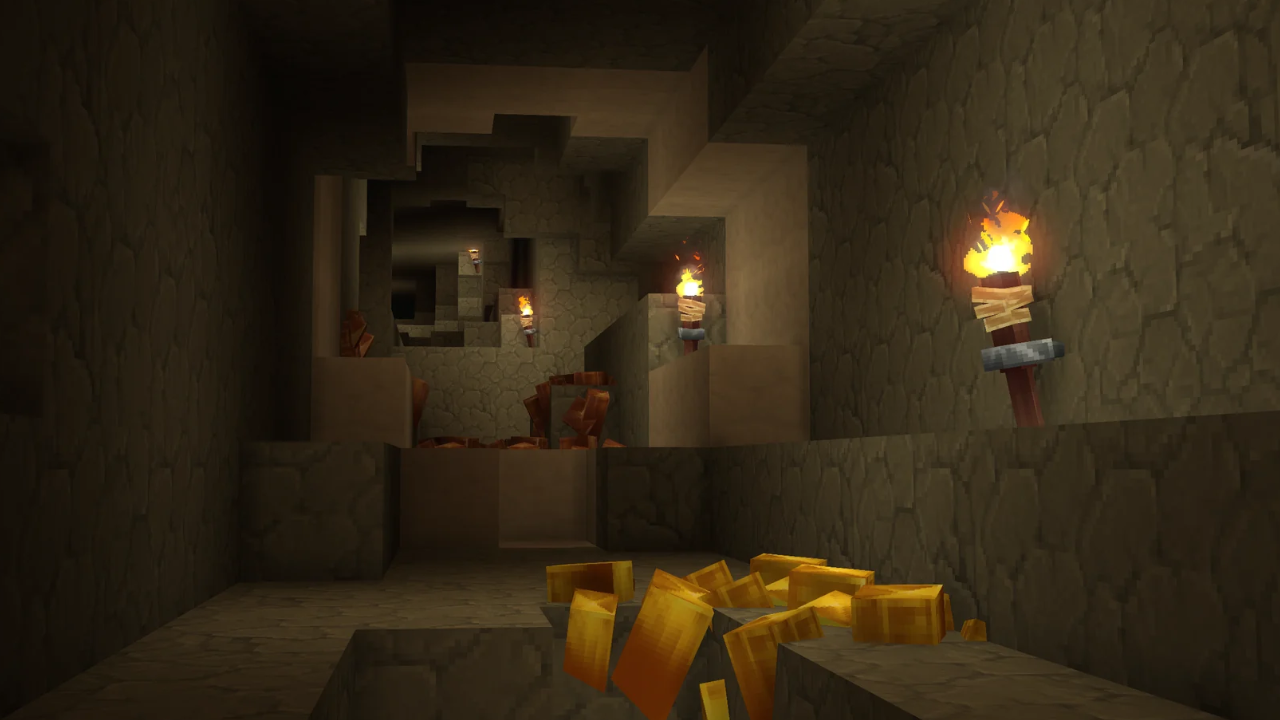
mine gold underground and smelt it, sell resources to other players, or take paid work.
- mining: gather ores for your gear or sell them.
- farming and gathering: sell crops, food, wood and plants.
- hunting and crafting: sell npc drops or crafted gear.
- player jobs: build, gather or deliver for an agreed payment.
your wallet
use /bal to see your gold. pay with /pay <player> <amount>, deposit bars with /deposit <amount>, and withdraw with /withdrawl <amount>. deposits and withdrawals are available in your home city.
/balcities and claims
create a city, claim land and invite residents. the /city (or /c) system works like towny, with city land and resident access controls.
/city create <name>founding includes the first chunk. each further claim costs 32 gold. long thin strips and enclosed holes are blocked. the limit is 25 chunks, plus 10 per additional resident.
use /city to see city information and treasury gold. mayors fund cities with /city deposit <amount>: wallet first, then bars in your home city.
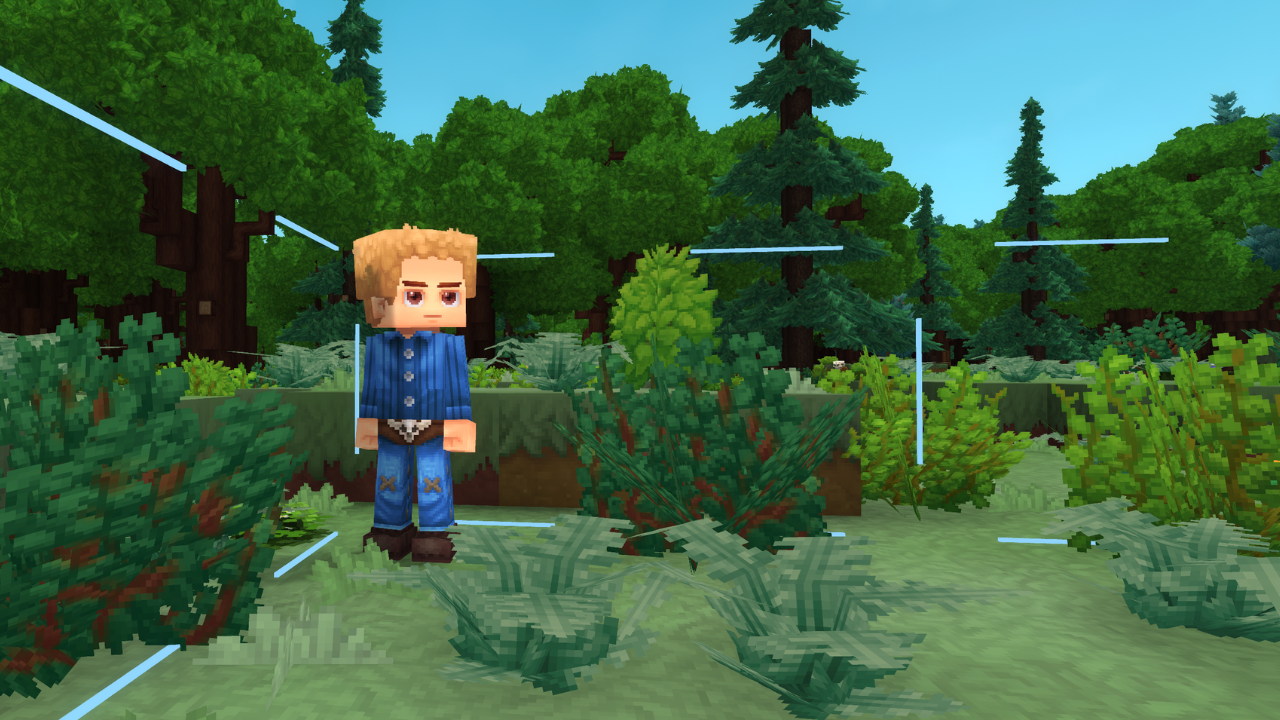
animals and monsters do not naturally spawn in claims unless permitted by the mayor or councillors.
cities and countries must be based on their real-life geographical location.
plots and land sales
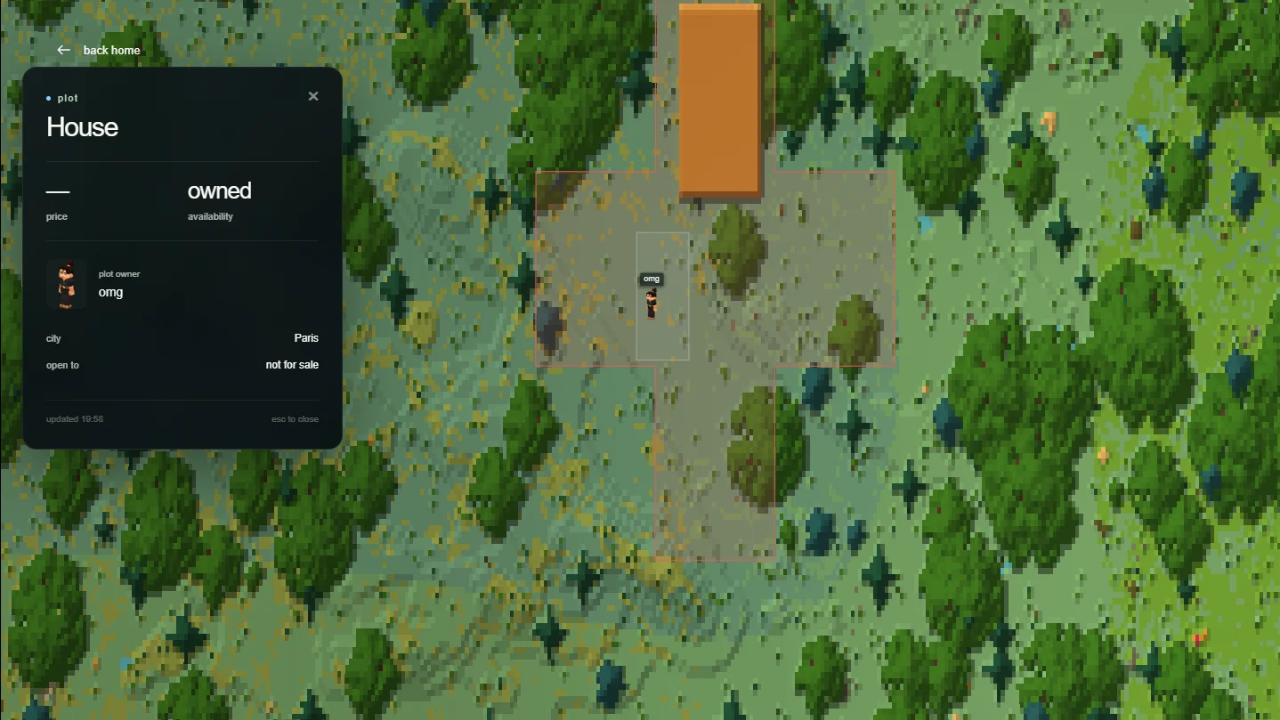
a city claim can be divided into smaller, named plots: a house, farm, shop lot or building site. plots use exact block corners, so you do not have to sell an entire chunk. the land remains part of the city.
partition and list land
- as a mayor or councillor, stand in your city and run /plot select.
- interact with two corner blocks to mark the opposite corners of a rectangle. finish within 2 minutes; use /plot cancel to abandon the selection.
- run /plot create "House". the entire rectangle must be inside your city's claims and must not overlap another plot.
- stand inside the new plot. use /plot sell 100 residents to sell it only to city residents, or /plot sell 100 public to include outsiders. the amount is the price of the whole plot; 0 makes it free to claim.
/plot sell 100 publicthe buyer stands inside the listed plot, checks /plot info and runs /plot buy. repeat the purchase command within 30 seconds when prompted to confirm. payment goes to the previous owner, or to the city treasury if the plot was city-owned.
ownership and access
buying a public plot does not make you a city resident. the named owner controls that plot, while city-wide and chunk permission switches still apply. plots cover their full vertical column, not a single floor of a building.
owners can rename a plot, add an entry message, set a private arrival point or list it for resale. use /plot set spawn from safe ground inside your plot, then /plot spawn "House" to return. a sale clears the previous owner's entry message and arrival point.
remove any shops inside a plot before listing or removing it. /plot remove removes the plot definition and its individual ownership; it does not unclaim the city's land. plots can span chunks but cannot overlap or extend beyond the city's claims.
nations
/nation or /n shows treasury gold. owners use /nation deposit and /nation withdraw.
owners can use /nation color <colour> and paint a flag with /nation flag. flags appear over capitals on the globe.
found a country for 1,000 gold. your city becomes its capital.
your founding city needs at least 4 residents, including you. work with other cities, trade and build relationships with neighboring countries.
resources and gear
follow normal hytale crafting progression. all metal ores are available underground through caves and strip mining. some are rarer than others.
npcs in different biomes drop scraps, hides and essences for gear. look for burnt skeletons in hot regions, frost creatures in cold regions, and outlanders for void materials.
harvest crops for life essence. at the loom, 2 cotton + 1 ice essence + 1 void essence makes 3 stormsilk scraps. gather what you need or trade for it.
grow your own apple trees: an apple sapling costs 15 life essence at farming-bench tier 2. palm saplings cost 35 life essence at tier 3. both are in the saplings category.
normal farming and building recipes do not need memories or the forgotten temple. their ingredients and workbench tiers still apply. morph potions keep their vanilla requirements.
rare monster drops
skeletons, zombies, goblins, trorks, outlanders, scaraks, fen stalkers and wraiths can drop a bonus reward alongside their normal loot.
each eligible kill has a 3% chance for one rune or a 1% chance for one gadget: 4% total, with at most one bonus item. these are chances, not a guaranteed reward after a number of kills.
gadgets include hookshots, rocket boots, scrap gliders and spyglasses. explore different regions, hunt monsters or trade with other players.
craft the runebinder's lattice at a tier 2 workbench with 10 rock, 5 iron bars and 10 life essence. place it and interact to equip ability runes and compatible modifier runes.
voidtaken grizzlies
Voidtaken Grizzlies are rare, dangerous hunts that can spawn in alpine mountain environments, during the day or at night. finding a mountain does not guarantee an encounter.
this is an 850-health predator with heavy swipes, a charge, a powerful stomp and summoned tentacles. bring suitable gear, watch the ground and leave room to dodge; knockback is especially dangerous near cliffs. hunting one provides a riskier way to gather void and storm materials or supplies to trade.
| drop | quantity | chance per kill |
|---|---|---|
| Voidtaken Grizzly Hide | 1 | guaranteed |
| Essence of the Void | 3–4 | guaranteed |
| Storm Hide | 1–2 | 35% |
| Voidheart | 1 | 50% |
the Storm Hide and Voidheart rolls are separate, so both can drop from one kill. Essence of the Void is also used in the stormsilk recipe above. these are the grizzly's own hunt drops, separate from the 4% rune-or-gadget bonus for the monster families listed above.
claim spawn controls currently classify this bear as an animal. turning animal spawning off affects new natural spawns; it does not remove a bear that is already there.
shops and selling
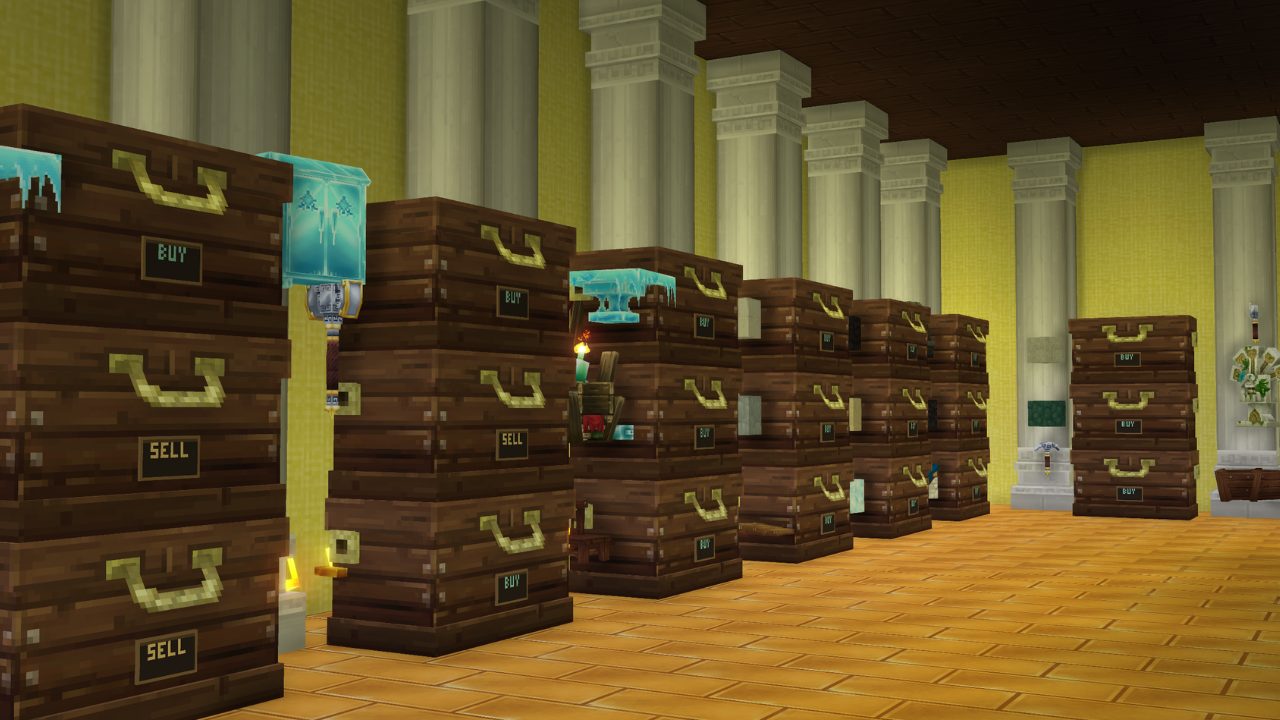
chest shops exchange a specific item bundle for wallet gold. a SELL shop sells stock to customers; a BUY shop pays customers to supply its owner. the plaque and item preview help you identify a shop before opening it.
create a sell shop
- place a storage chest in claimed land you control, such as your own plot or city land where you have building access. a plot listed for sale cannot contain an active shop.
- put the items you want to sell in the chest. hold an example of that item in your hand: it becomes the shop's exact item template.
- interact with the chest, close its inventory, and stay within 8 blocks while running the creation command.
- use /shop create sell <quantity> <price>. for example, the command below sells 16 items for 5 gold total per purchase.
/shop create sell 16 5quantity must be 1–100; price must be a positive whole number. price is per bundle, not per individual item. keep matching items stocked: durability and custom item data are part of the template, so different variants may not count as stock.
create a buy order
hold the item you want to buy, interact with your chest and use /shop create buy <quantity> <price> [funds]. the optional funds are gold reserved from your wallet for future purchases. if omitted, the shop reserves enough for one purchase.
/shop create buy 16 5 100this order pays customers 5 gold for 16 items, with 100 gold reserved. leave room in the chest to receive deliveries. after interacting with that shop, /shop fund 50 adds another 50 gold from your wallet.
use and maintain a shop
customers interact with the shop to review the item, quantity, total price and owner. select buy from shop for a sell shop or sell to shop for a buy order. the receiving inventory must have room; the shop needs enough stock or reserved gold.
interact with the relevant chest before using /shop info, /shop trade, /shop fund, /shop display on|off or /shop remove. re-interact if the selected chest has expired. only the owner can fund, hide or remove their shop.
a sell shop that falls below one full bundle sends its owner restock mail with the item and chest coordinates. read it with /mail read. one alert is sent per stock outage; restocking rearms the next alert. removing a buy order returns its unused reserved gold to the owner's wallet after confirmation.
player trading
use /trade <player> while both players are in the same world and within 10 blocks. the recipient uses /trade accept. drag items into your offer, review both sides and both press confirm trade. player trading is items only; use /pay for a separate wallet payment.
each side can offer up to 9 stacks. changing an offer clears both confirmations. chat is hidden while the menu is open. moving, teleporting, closing the menu, disconnecting or dying cancels the trade.
offered items remain in your actual inventory until settlement. cancellation releases the reservation; if you die before settlement, the normal death system handles those items with the rest of your inventory.
/trade <player>city and country travel
/city spawn takes you home. add a city name to visit its arrival point. nation travel takes you to your own or an allied nation’s capital.
/city spawn <name>/nation spawn <name>pvp and conflict
wilderness pvp is enabled. travel carries risk.
members of the same city or nation cannot damage each other, even in wilderness. allied nations can still fight each other in wilderness.
players from enemy countries can fight each other inside their cities. city claims do not protect you from an enemy country.
all player commands
the commands you need to play EarthRP, grouped by purpose. type commands in lowercase; replace <placeholders> with your own values. square brackets mean an optional argument. quote names containing spaces, such as "New Paris".
role key: a manager is a mayor or councillor. a city-owned plot manager acts only while that plot has no private owner. city and nation treasury powers remain with their respective leaders. server administration and rendering tools are not player commands.
when a command asks for confirmation, repeat the same action within 30 seconds. money amounts are positive whole numbers, except plot prices may be 0.
map and globe hud
the globe is a personal HUD; changing it does not change the world or other players’ maps.
| command | who | what it does |
|---|---|---|
/map | everyone | get the clickable link to the full EarthRP world map. |
/map on|off | everyone | show or hide your globe HUD. your personal preference is saved across reconnects. |
/map position left|right | everyone | move the globe to the top-left or top-right corner. the position is saved for your player. |
/map status | everyone | check whether your globe HUD is currently on or off. |
wallet and payments
gold amounts are whole numbers. shop payments and plot purchases use your wallet.
| command | who | what it does |
|---|---|---|
/bal | everyone | check your wallet balance. |
/pay <player> <amount> | everyone | send wallet gold to a player who has joined the server before; they can be offline. you cannot pay yourself. |
/deposit <amount> | home-city member | exchange smelted gold bars in your inventory for wallet gold. stand inside your home city; maximum 100,000 gold per exchange. |
/withdraw <amount> | home-city member | exchange wallet gold for bars in your inventory. stand inside your home city, leave enough inventory space; maximum 100,000 gold. /withdrawl is also supported. |
cities, residents and claims
/c is an alias for every /city command. a chunk is 32 × 32 blocks. a manager means a mayor or councillor.
| command | who | what it does |
|---|---|---|
/city · /city info ["city name"] | everyone | view city information, treasury, residents, claim usage and outsider-arrival status. use /city alone for your own city. |
/city create "name" | player without a city | found a city for 100 gold; the chunk you stand in is included. wallet gold is used first, with carried gold bars covering a shortfall. |
/city rename "name" | mayor | rename the city for 50 gold from its treasury. repeat when prompted to confirm. |
/city delete | mayor | delete the city without a refund. resolve its nation membership, privately owned plots and shops first. repeat to confirm. |
/claim · /city claim | manager | claim the chunk you stand in for 32 treasury gold. it must touch existing city land; holes, disconnected land and long thin strips are restricted. |
/city unclaim | manager | release the current city chunk without a refund. keep at least one chunk and preserve a connected, compact city; move its arrival point and resolve plots/shops first. repeat to confirm. |
/city invite <player> | manager | invite a player who has joined before and is not already in a city. the invitation is available when they reconnect. |
/city join "city name" | invited player | accept an invitation. leave your previous city first; joining starts you as a resident. |
/city leave | resident | leave your city. resolve owned plots first; mayors and nation owners must transfer their leadership or dissolve the relevant organisation first. |
/city kick <resident> | manager | remove a resident after resolving their plots. only the mayor can remove a councillor; the mayor and a serving nation owner cannot simply be kicked. |
/city role <resident> councillor|builder|resident | mayor | change another resident’s role. councillors manage land, invitations and settings; builders can build on ordinary city land; residents have normal non-building interactions, subject to permissions. |
/city mayor <resident> | mayor | transfer the mayorship to another resident. a mayor who is also nation owner must transfer nation ownership first. repeat to confirm. |
/city deposit <amount> | mayor | fund the city treasury from your wallet first. a shortfall can use carried gold bars while inside your home city; maximum 100,000 gold per deposit. |
/city withdraw <amount> | mayor | move city treasury gold to your wallet. |
/city set perm <permission> on|off | manager | set a city-wide permission or natural-spawn rule. see the permission glossary below. |
/city set chunk perm <permission> on|off|inherit | manager | override the rule for the city chunk you stand in. inherit returns that chunk to the city-wide rule. |
/city setspawn | mayor | save your current location inside your city as its arrival point. |
/city spawn ["city name"] | eligible traveller | travel to a saved city arrival point; omit the name for home. your city, nation and allies are allowed; other cities must enable outsider arrivals. enemy-nation access is refused. |
/city toggle outsiders | mayor | toggle public outsider arrivals at your city spawn. this grants travel access, not residency, building rights or friendly-fire protection. |
/borders on|off · /city borders on|off | everyone | show or hide your local city boundary display. approach within 20 blocks of your city’s wilderness edge to see it. |
nations and diplomacy
/n is an alias for every /nation command. nations contain cities; players belong through their home city.
| command | who | what it does |
|---|---|---|
/nation · /nation info ["nation name"] | everyone | view a nation’s owner, capital, treasury, cities and colour. use /nation alone for your own nation. |
/nation create "name" | mayor | found a nation for 1,000 wallet gold. your city must be independent and have at least 4 residents including you; it becomes the capital. repeat to confirm. |
/nation rename "name" | nation owner | rename the nation for 100 treasury gold. repeat to confirm. |
/nation capital "city name" | nation owner | choose another member city as capital for 250 nation treasury gold. repeat to confirm. |
/nation owner <resident> | nation owner | transfer ownership to a resident of any city in your nation. repeat to confirm. |
/nation invite "city name" | nation owner | invite an independent city to join your nation. |
/nation join "nation name" | invited city mayor | accept an invitation for your whole city. member cities must share the capital’s world. |
/nation leave | city mayor | withdraw your city. the capital must be moved or the nation dissolved first; a city housing the serving nation owner cannot leave. |
/nation delete | nation owner | dissolve the nation while leaving its cities intact. repeat to confirm. |
/nation deposit <amount> | nation owner | fund the nation treasury from wallet gold, then carried bars for a shortfall while inside your home city; maximum 100,000 gold per deposit. |
/nation withdraw <amount> | nation owner | move nation treasury gold to your wallet. |
/nation color <colour> | nation owner | change claim colour. use lightblue, blue, red, green, purple, yellow, orange, pink, white, grey or a #RRGGBB value. |
/nation flag | nation owner | open the flag painter. select colours, paint pixels, change brush size, fill, undo and save; the flag appears over the capital on the globe. |
/nation flag <pattern>:<base>:<accent> | nation owner | optional preset: plain, stripes, cross or diagonal; colours are red, blue, green, purple, black, white or yellow. example: /nation flag cross:red:white. |
/nation alliance offer "nation name" | nation owner | propose an alliance. it becomes active only after the other owner accepts. |
/nation alliance accept "nation name" | nation owner | accept an incoming alliance offer. |
/nation alliance remove "nation name" | nation owner | end an existing alliance. |
/nation enemy "nation name" | nation owner | declare an enemy relationship. opposing nations can fight inside each other’s claims. repeat to confirm. |
/nation peace offer "nation name" | nation owner | propose ending an enemy relationship. |
/nation peace accept "nation name" | nation owner | accept a peace offer and end that enemy relationship. |
/nation spawn ["nation name"] | nation member | travel to your nation’s capital or the capital of an allied nation. the destination needs a saved city arrival point. |
plots and private land
/city plot … and /c plot … also route to the plot commands. most actions select the plot you are standing in.
| command | who | what it does |
|---|---|---|
/plot select | manager | start a two-minute corner selection in your city. interact with two corner blocks; this is a temporary selection mode, not a permanent tool item. |
/plot cancel | everyone | cancel your active corner selection. |
/plot create "name" | manager | create the selected rectangle as a city-owned plot. it must lie wholly inside your claims and not overlap another plot; maximum 1,024 blocks per side. |
/plot info | everyone inside a plot | see its name, owner and sale price or availability. |
/plot sell <price> residents|public | plot owner / city-owned plot manager | list the entire plot for sale, including for 0 gold. residents restricts buyers to that city; public allows outsiders. remove shops inside it first. |
/plot buy [plot-id] | eligible buyer | buy the listed plot you stand in; an optional supplied plot ID can select it directly. have enough wallet gold and repeat when prompted to confirm. |
/plot rename "name" | plot owner / city-owned plot manager | rename the plot you stand in. choose a distinct name so named arrival commands can identify it. |
/plot message <entry message> | plot owner / city-owned plot manager | set the message shown to players when they enter the plot. |
/plot message clear | plot owner / city-owned plot manager | remove its custom entry message. |
/plot set spawn | plot owner / city-owned plot manager | save a private arrival point inside the plot. stand on a solid, dry floor with clear headroom. |
/plot spawn ["plot name"] | plot owner / city-owned plot manager | travel to one of your plots by name, or to the plot you stand in. it must have a valid saved arrival point; ownership is checked again before arrival. |
/plot remove [plot-id] | plot owner / city-owned plot manager | remove the current plot definition, or an optional supplied plot ID. remove its shops first and repeat to confirm. the underlying city claim remains. |
chest shops
interact with the relevant chest first, close its inventory, and remain nearby. quantity is 1–100; price and funds are positive whole gold amounts.
| command | who | what it does |
|---|---|---|
/shop create sell <quantity> <price> | player controlling claimed land | hold the exact item template to create a SELL shop. customers pay the price for the whole bundle; keep matching stock in its chest. |
/shop create buy <quantity> <price> [funds] | player controlling claimed land | hold the wanted item template to create a BUY order. reserve funds from your wallet; if omitted, reserve one purchase’s price. leave chest space for deliveries. |
/shop info | nearby player | inspect the selected shop’s item, bundle quantity, price and owner. |
/shop trade | nearby customer | open its trade menu. SELL shops require stock and your wallet payment; BUY orders require your items, chest space and reserved shop funds. |
/shop fund <amount> | shop owner | add wallet gold to your selected BUY order’s reserved funds. |
/shop display on|off | shop owner | show or hide the plaque and item preview for your selected shop. its trading function remains available. |
/shop remove | shop owner | remove the selected shop after repeating to confirm. unused BUY-order funds return to your wallet; the chest and its contents remain. |
direct player trading
stay still after acceptance. review both offers; direct trades exchange items only, not wallet gold.
| command | who | what it does |
|---|---|---|
/trade <player> | everyone nearby | request a trade with an online player in the same world within 10 blocks. neither player can already have an active trade or pending exchange. |
/trade accept | invited player | accept the request and open both trade menus. invitations expire after 2 minutes. |
/trade offer <quantity or 0> | accepted trade participant | command fallback: offer that many of the item in your hand, or 0 to clear your item offer. this replaces your current offer; the menu supports up to 9 stacks. |
/trade status | trade participant | review the current offers and reopen or refresh the trade menu. |
/trade confirm | accepted trade participant | confirm the current offer revision, just like the menu button. both players must confirm; any edit clears both approvals. |
/trade cancel | trade participant | cancel the invitation or trade. reservations are discarded; no items are removed while negotiating. |
chat and private messages
city and nation channels follow current membership. private messages require an online recipient; use mail for offline players.
| command | who | what it does |
|---|---|---|
/g · /global | everyone | switch your normal chat messages to the Global channel. |
/c chat · /city chat | city member | toggle City chat; repeat to return to Global. |
/n chat · /nation chat | nation member | toggle Nation chat; repeat to return to Global. |
/msg <player> <message> | everyone | send an online player a private message. the sender and recipient see it, not global chat. |
/r <message> | player with a conversation | reply to the last player you exchanged private messages with. |
mail and restock notices
mail survives disconnects and server restarts. players must have joined the server before they can receive mail.
| command | who | what it does |
|---|---|---|
/mail | everyone | show your unread count and mail command help. |
/mail send <player> <message> | everyone | send a persistent message to an online or offline player. maximum 500 characters; sending is rate-limited and a full mailbox rejects new player mail. |
/mail read [page] | everyone | read 10 messages per page, newest first. reading marks that page as read; it does not delete it. |
/mail clear | everyone | clear your own mailbox after repeating the command to confirm. this does not reset shop restock-alert protection. |
permission glossary
build controls block building/breaking; interact controls general interactions; switch or doors covers switches and doors; containers covers storage access; fire controls fire use. animals and monsters control new natural spawns. city-wide settings use on/off; chunk overrides additionally support inherit.
animals and monsters are off in claims by default. ordinary residents do not gain general building or fire rights from membership alone. builders and managers can use ordinary city land, subject to the switches; private plot ownership is checked separately.
city claim capacity is 25 chunks plus 10 for each additional resident. same-city and same-nation friendly fire is blocked; alliances allow travel but do not prevent wilderness combat. public plot sales and outsider arrivals grant their stated access only, not city membership.